|
 |
 |
|
|
|||
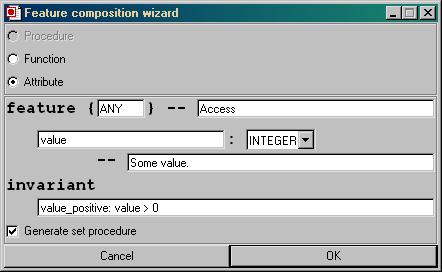
Feature Composition WizardThe new EiffelBench will feature the Feature Composition Wizard, which allows the user to add simple features to a class. This dialog is also used when a new client link is created in the Context Diagram. What is it?The Feature Wizard is a dialog that lets the user easily create new Eiffel features, and insert them into a specific feature clause.In Eiffel there are three types of features: attribute, function and procedure. After choosing one of these types, a feature clause has to be specified. The feature will be inserted in the class in the right place. If the feature clause is not present, it will be created. AttributeWhen adding an attribute, the feature name and type need to be specified. In the screenshot below, the name is `value' and the type `INTEGER'. The feature will be inserted in the "Access" feature clause.
There is also an invariant specified, which will be appended to the class invariant. The check box "Generate set procedure" will cause a set-procedure to be generated for this attribute and added in the "Element change" clause. The name of this procedure will be `set_value', has one argument of type integer and ensures that the argument passed will be assigned to `value'. Function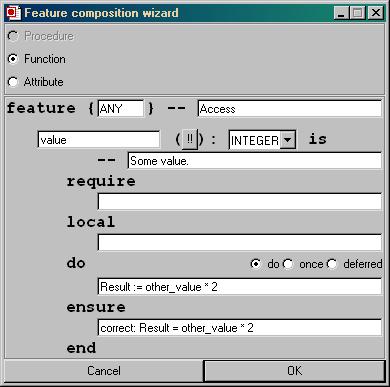
ProcedureRoutine arguments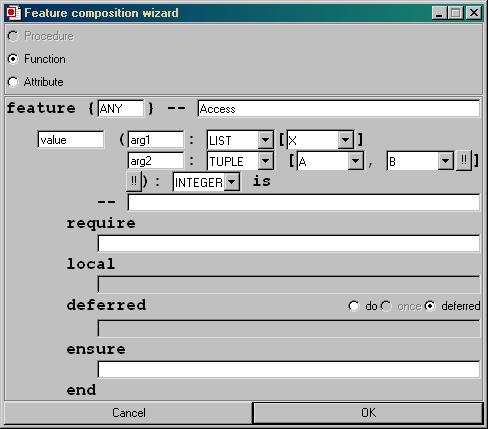
|